
How do I Set Up a Payment Method in TimeSolv?
The payment method is how you will pay your bills to TimeSolv.
Change Your Payment Method
- Once you are logged into your TimeSolv account, click on the Account menu.
- Select Our Account.
- Click the Billing History tab.
- Click Billing Portal. You will be taken to the Manage Subscriptions window.
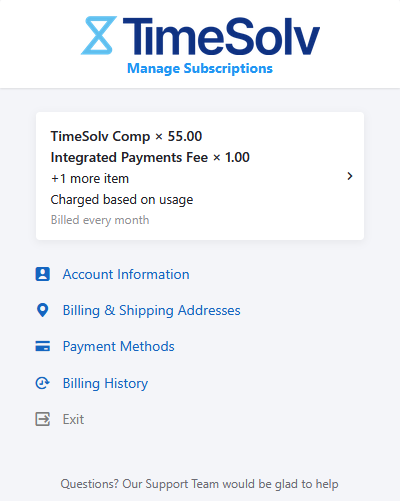
- Click Payment Methods.
- Enter your Credit Card or ACH information.
ACH Note: Should you decide to place your bank account information on file for us to initiate an ACH payment as your preferred method of payment, no fees will be applied. For example, if your total invoice charge is $100.00 and TimeSolv applies your payment utilizing the ACH information you have on file, the total amount charged will be $100.00. (Note: ACH payment is only available for users in US.)